
Direct debits
For Modulr only
Direct debits are a type of recurring payment used typically for bill payments, subscriptions, etc. A direct debit therefore is an authorisation for the organisation (merchant) you wish to pay to deduct an agreed amount at an agreed frequency from your account.
This agreement is done via a mandate. Each mandate allows the collector (merchant) to deduct an amount from a Toqio account (outbound flow of funds). For example, if you pay you gym membership through direct debit, the mandate refers to the agreement details and governs the group of direct debit payments associated with this subscription. If a second person in your family also has a gym subscription, this will be separate mandate with separate corresponding direct debit payments.
In the UK, direct debit collections are done via the BACS system.
A collector generates mandates against which money is collected on a bank account in the BACS system. However, Toqio will not be developing the collector functionality i.e. generation of mandates and its instructions. Toqio will allow the third party bank to collect/deduct amounts against an existing mandate and its instructions. As this amount flows out of a Toqio account it is called outbound direct debits. The definition of outbound direct debits can be seen as below:
Outbound direct debits
An automated payment is made FROM your account to an authorised third party i.e. paying a utility bill or mobile phone bill.
High-Level requirements
- Turn ON/OFF direct debits from the Admin portal for each customer
- Identify any outbound payments that are direct debits
- Show a list of the direct debit mandates associated with an account
- Show direct debit mandate details
- Show direct debit payment details
- DD refund request (MVP)
- DD cancellation request (MVP)
Product requirements
Admin portal configuration
Direct debit can be turned ON/OFF from the Admin portal. By default it is set to OFF for all customers.
To turn ON direct debits, you must contact Toqio support team.
Direct debits lists
You can access direct debits from different parts of the platform. Each screen will offer a different value.
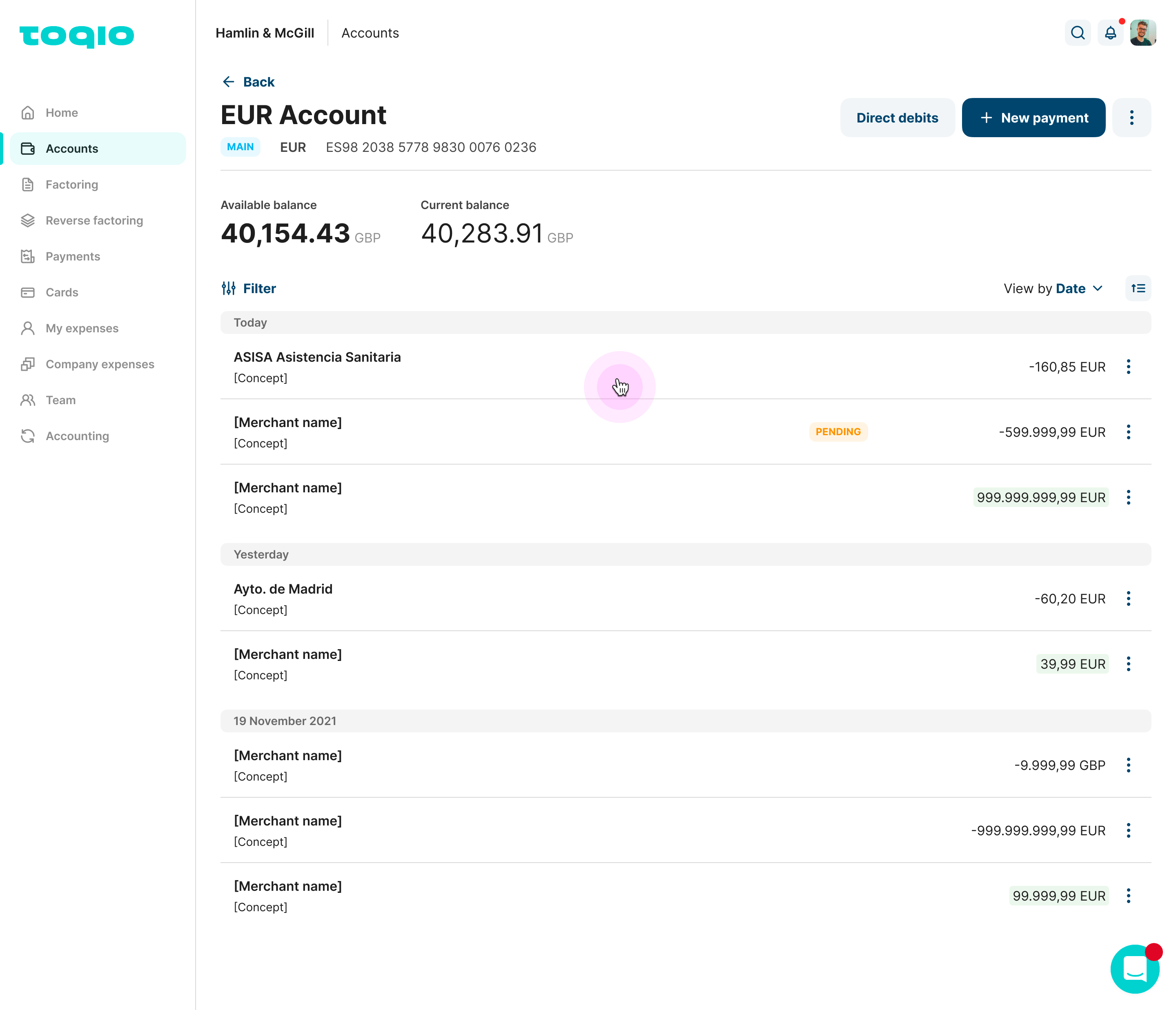
- Accounts transaction list:
Inside each account you will find the list of payments and transactions that belong to that account. All the direct debits that have been executed can be found there as a transaction. You will have direct access to all the direct debits mandates list by selecting the "Direct debits" CTA in the header.
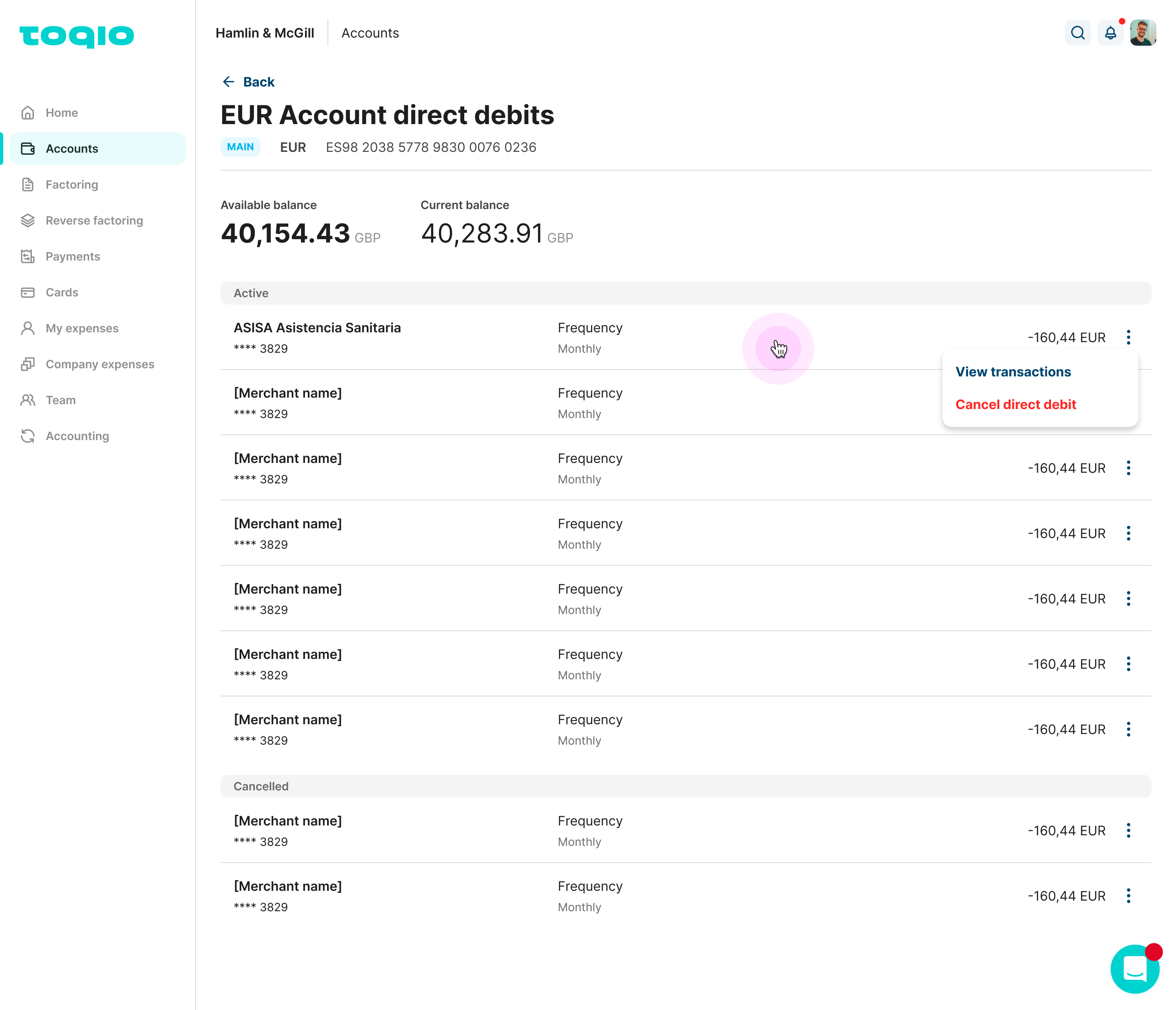
- Direct debits mandate list:
You will be able to see a list with all the different mandates and the last payment that was done for each merchant. In the mandates list you will see the cancelled mandates down below.
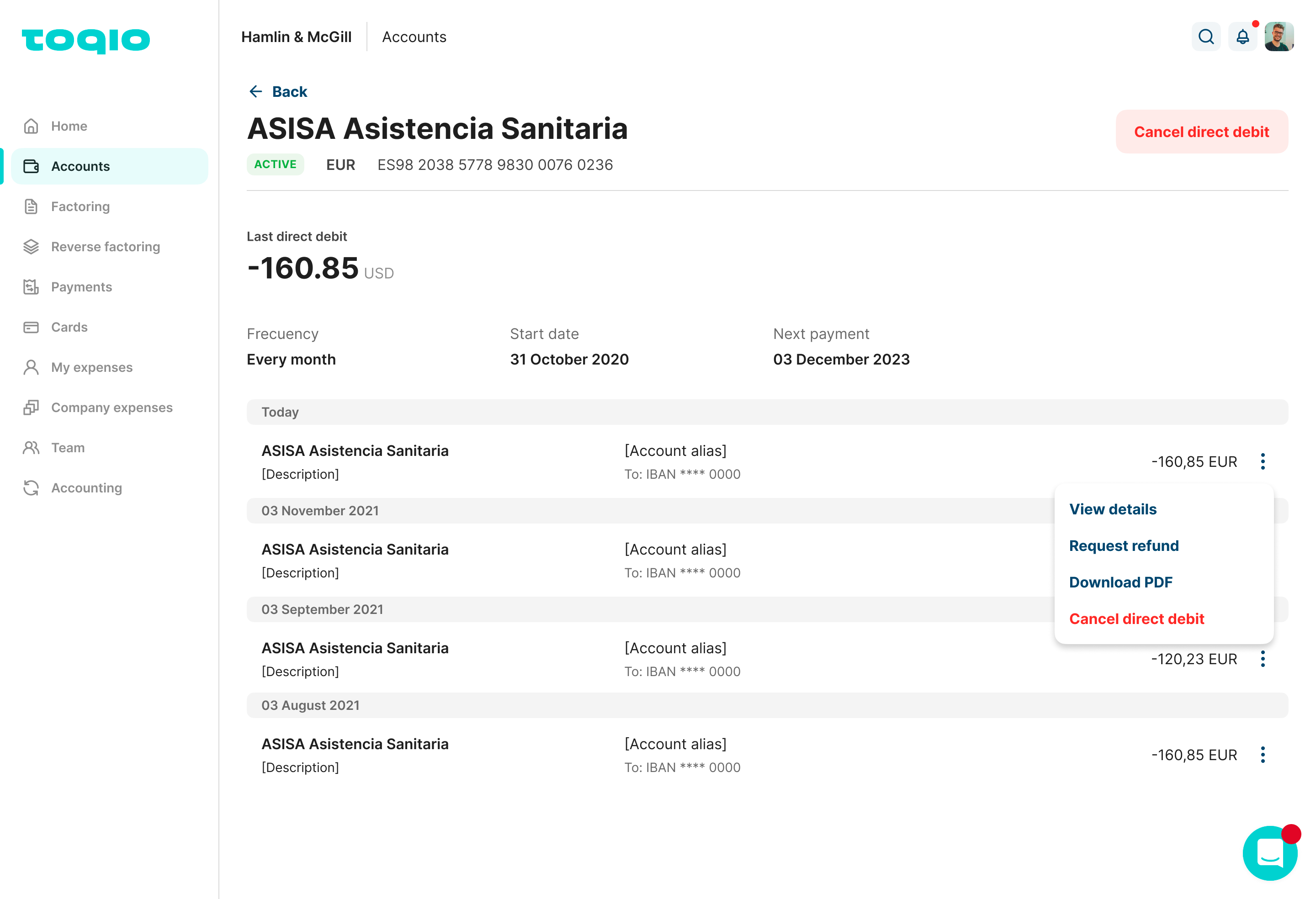
- Mandate details:
You can select a specific mandate from the previous list and access a more detailed view of all the previous direct debit transactions. In this screen you will see, last direct debit amount spent, the frequency of that mandate, when it started, and when will the next payment be.
Direct debits details
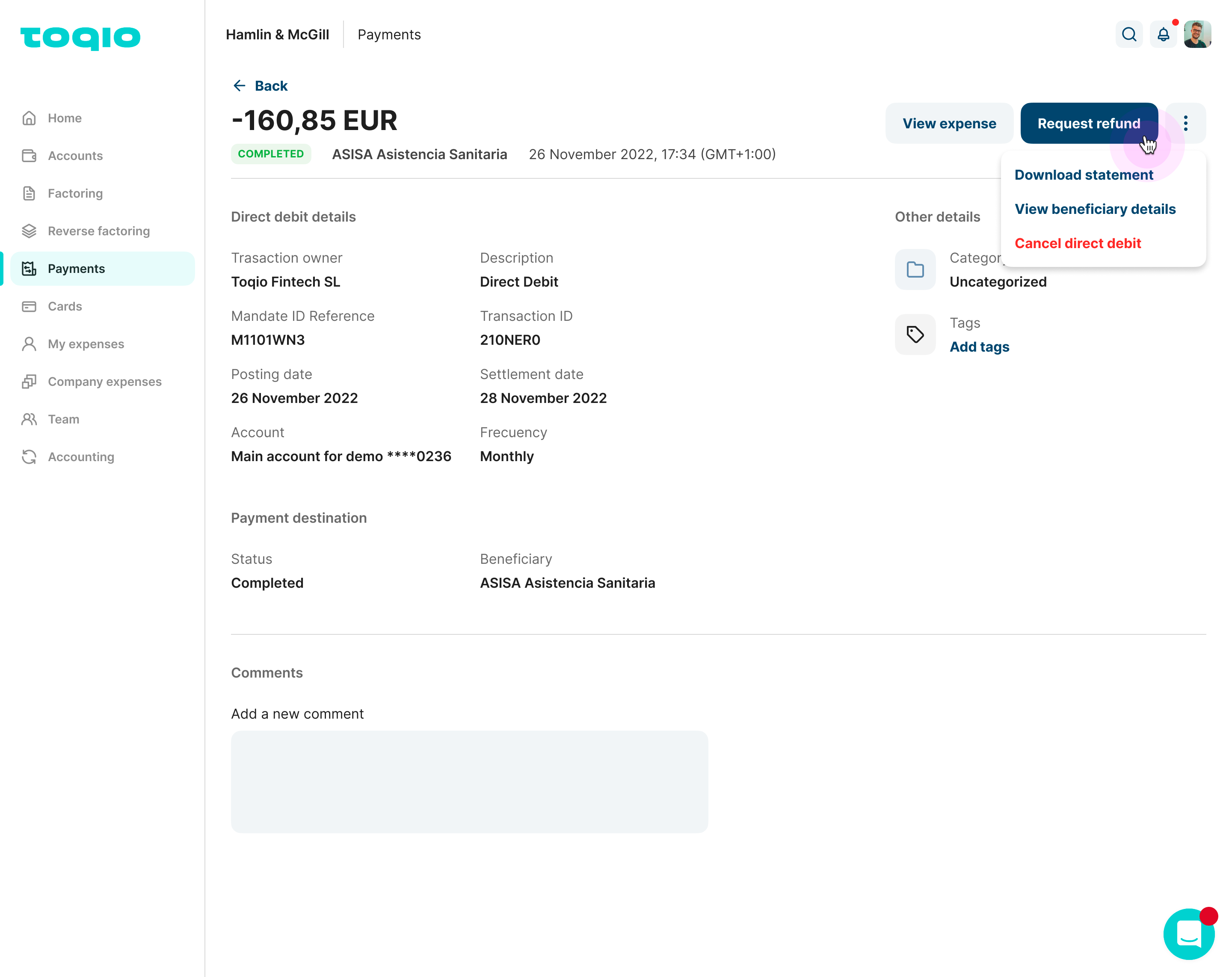
As all of the other transactions in the platform, direct debits will have a detail screen giving you more information.
- Direct debit details offer more detailed information such as the mandate reference identification number, the posting and settlement date and the frequency of the mandate.
- Payment destination will show you the status of the transaction and the beneficiary.
- Other details as in other transaction, will allow you to add categories and tags.
Cancel a direct debit
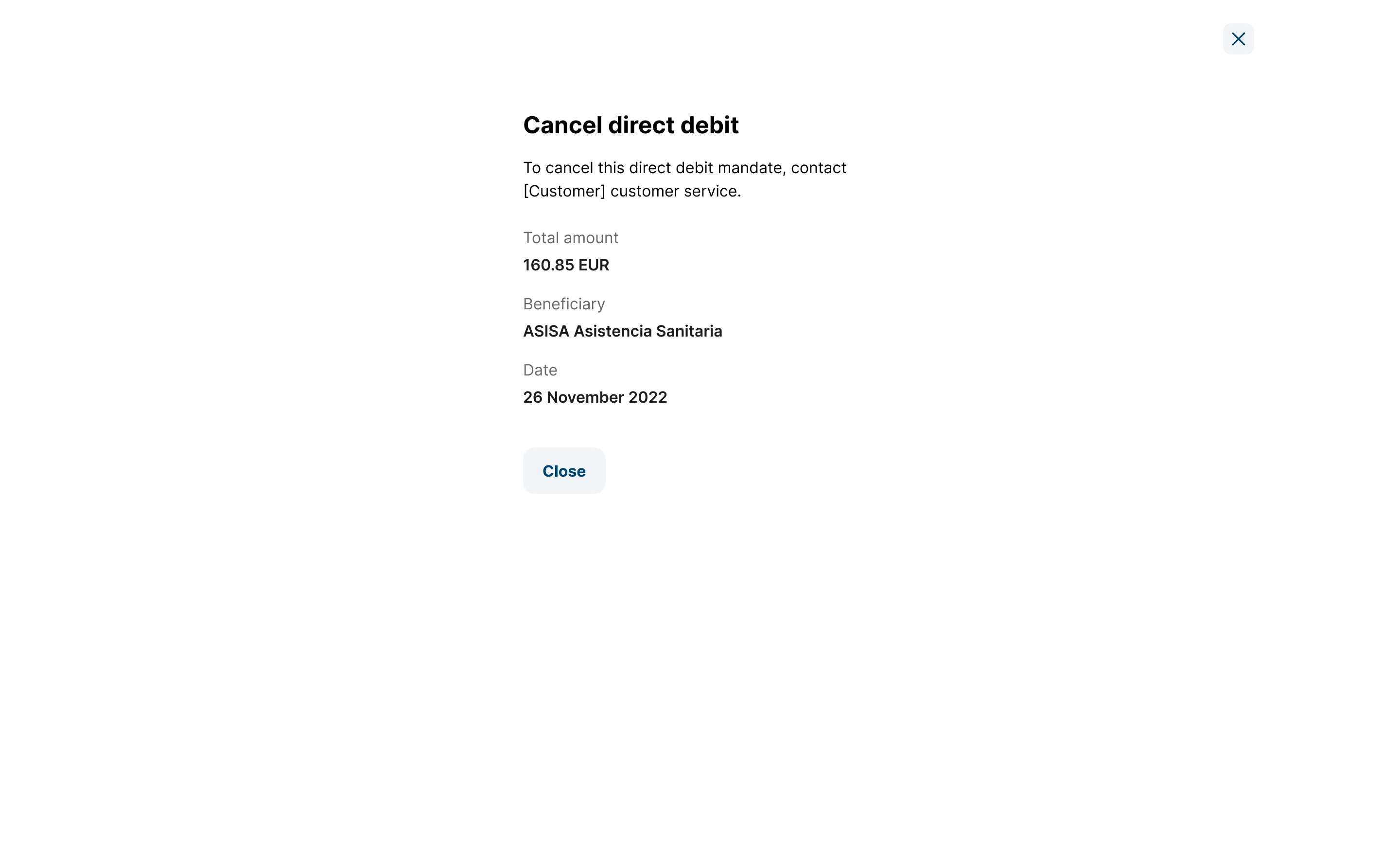
You are able to cancel a direct debit in order to not get charged on the next payment. The cancelation modal can be opened from quick action from the direct debit list and the direct debit details.
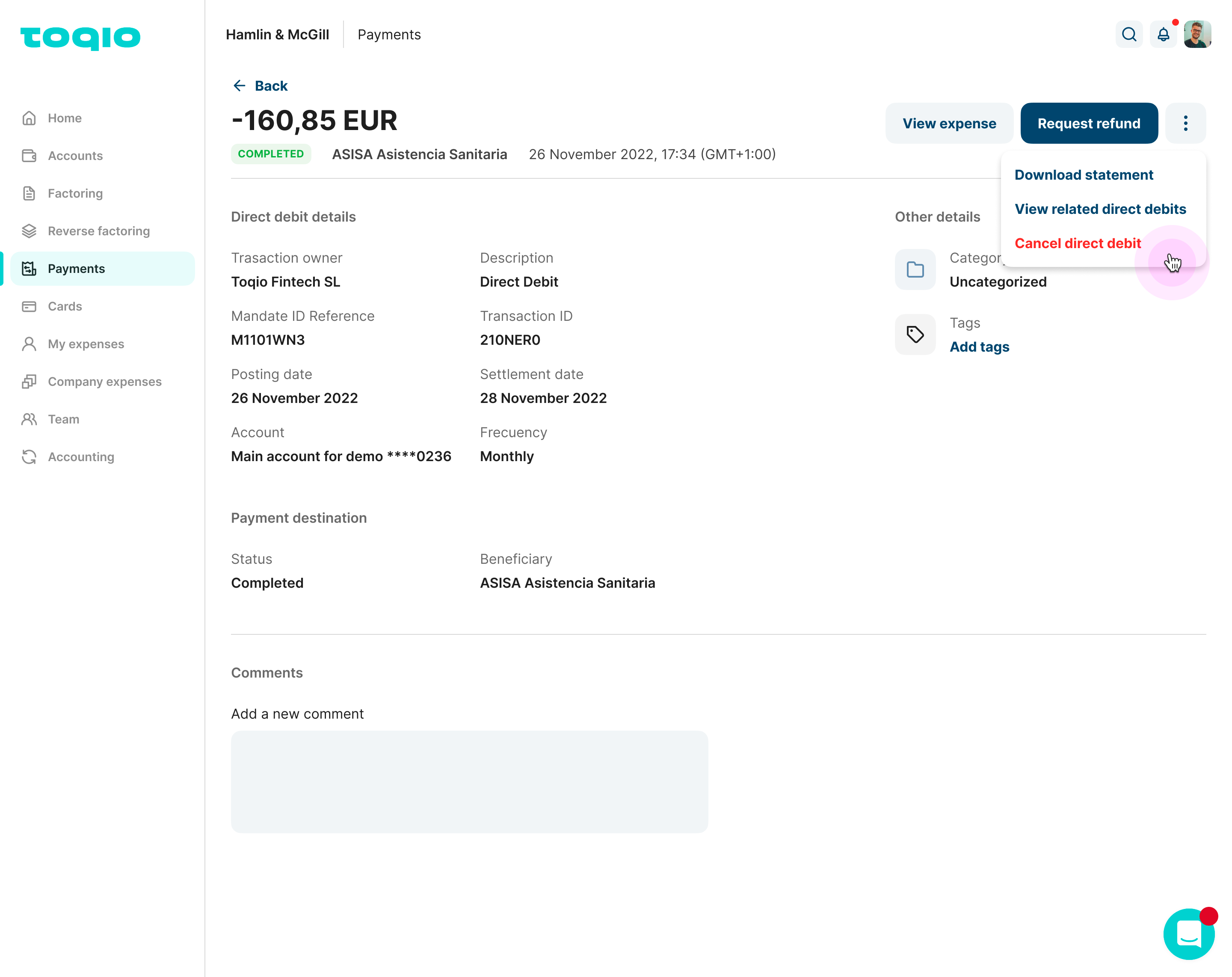
When you click on the "Cancel direct debit" CTA a new modal will open with new instructions. As the first step, you will have to contact with the customers so they can manage the cancellation of the direct debit.
Request refund
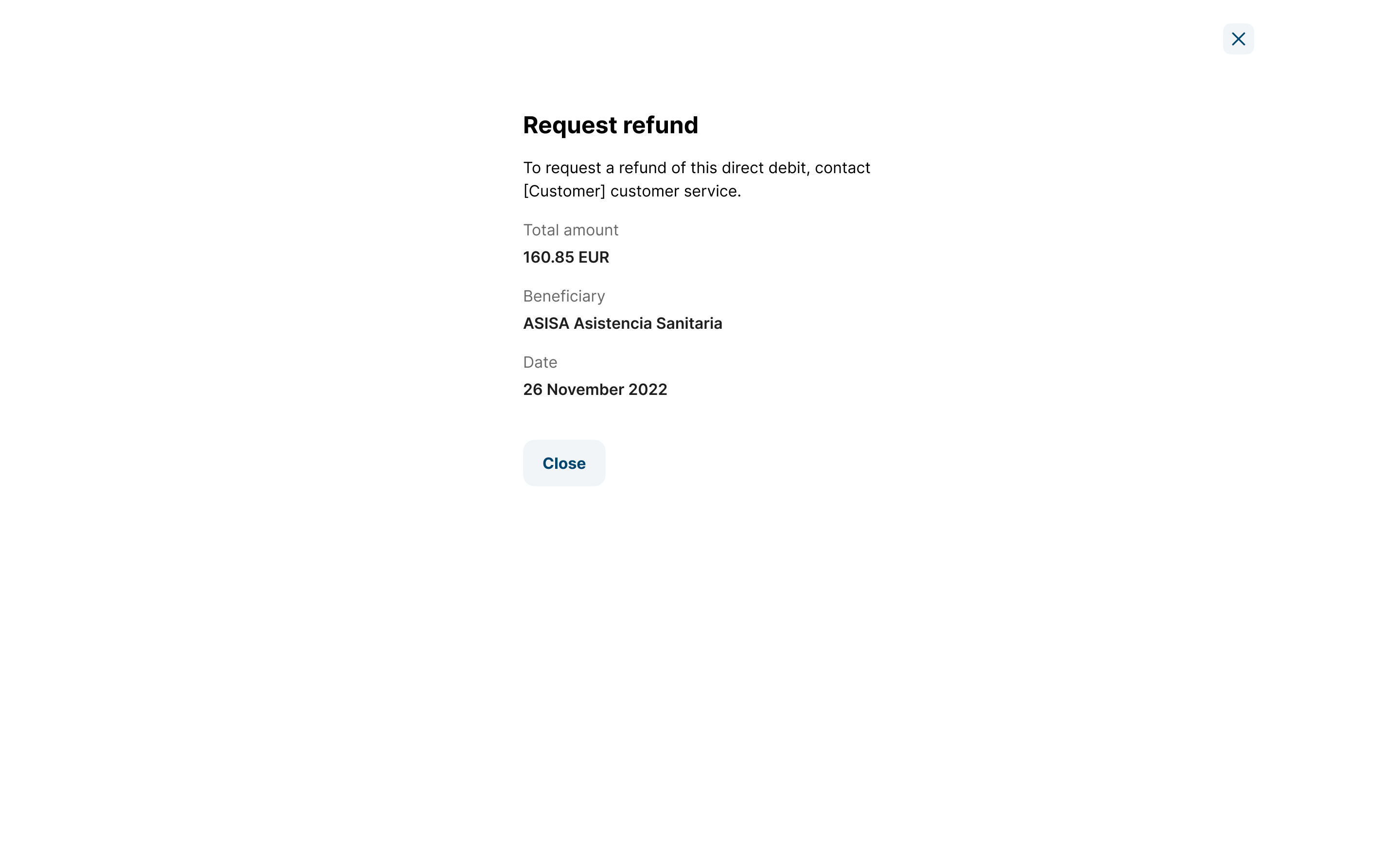
You can request a refund of a direct debit that's already been charged. You can do this from the quick actions in the direct debit list or from the direct debit details.
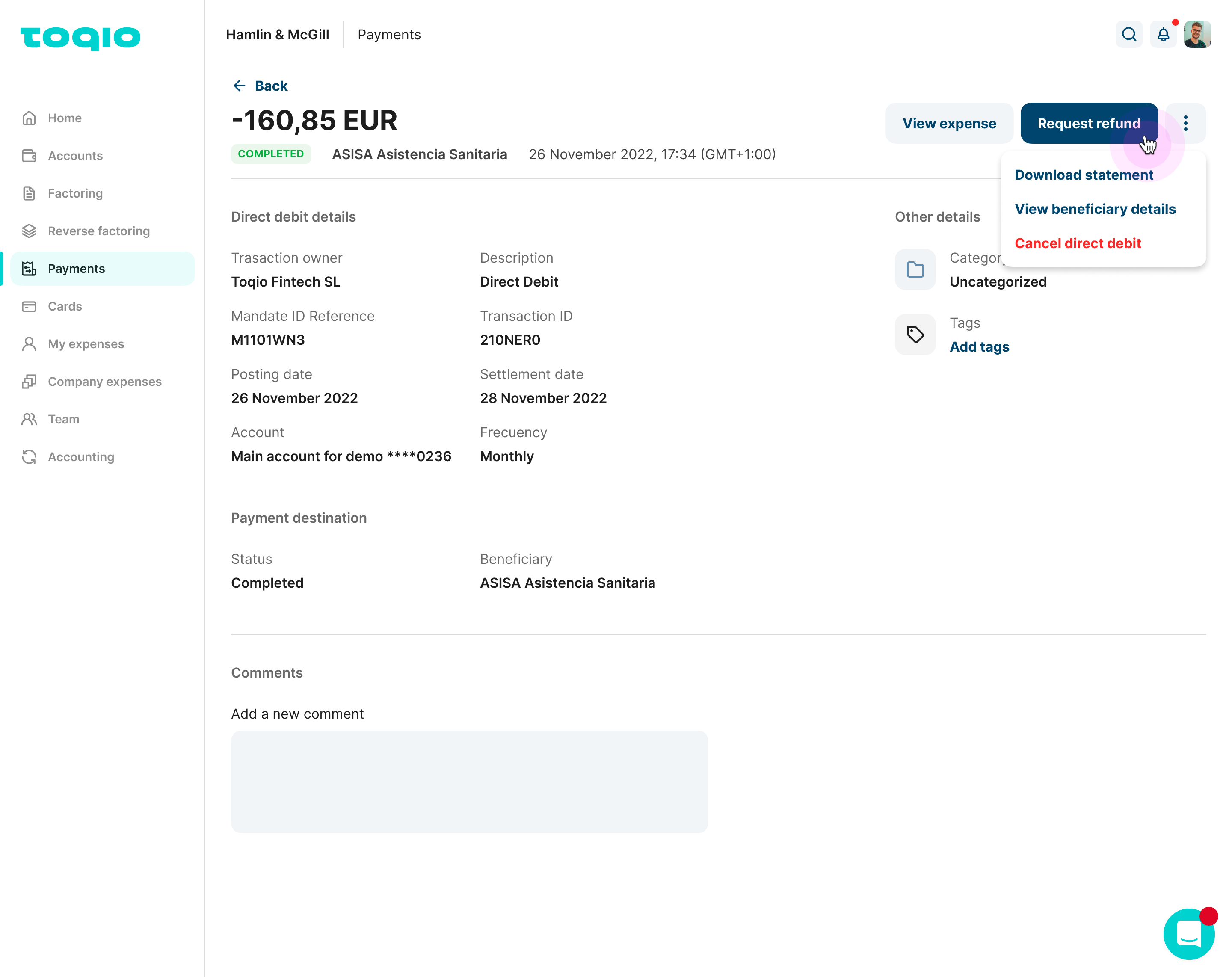
When you click on the "Request refund" CTA a new modal will open with instructions on what to do next. As the first step, you will have to get in contact with the customer to manage the refund.
Updated about 1 year ago